KUDA.GG
← Guides

How to bulk upload Fortnite accounts on Kuda.gg

Updated: 16 November 2026

Selling Fortnite accounts? Bulk upload lets you publish dozens of accounts in minutes, with the details and locker images filled in for you.

1. Paste all your accounts

One per line, in the format you already use: email:password, email | mail password | game password, or with a short note. If an account takes several lines, separate accounts with an empty line. Each account becomes a draft.
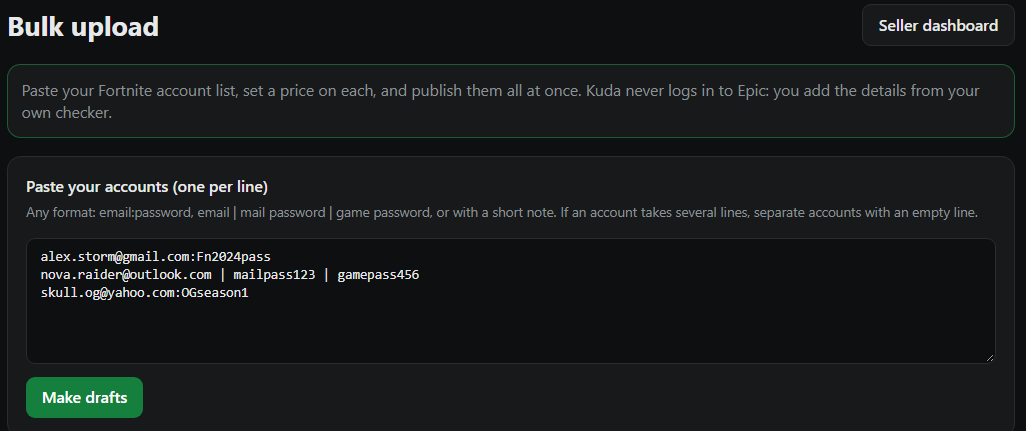
Paste box on the bulk upload page

2. Quick login with Epic

Copy the link, open it in an incognito window and sign in with the account. We fill in skins, V-Bucks, the Save the World Founder edition and whether the email can be changed. You sign in on Epic's own site, so the password never passes through us.
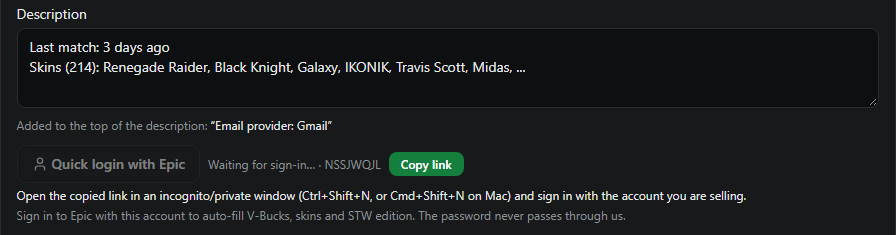
Quick login with Epic waiting for sign-in

3. Automatic locker images

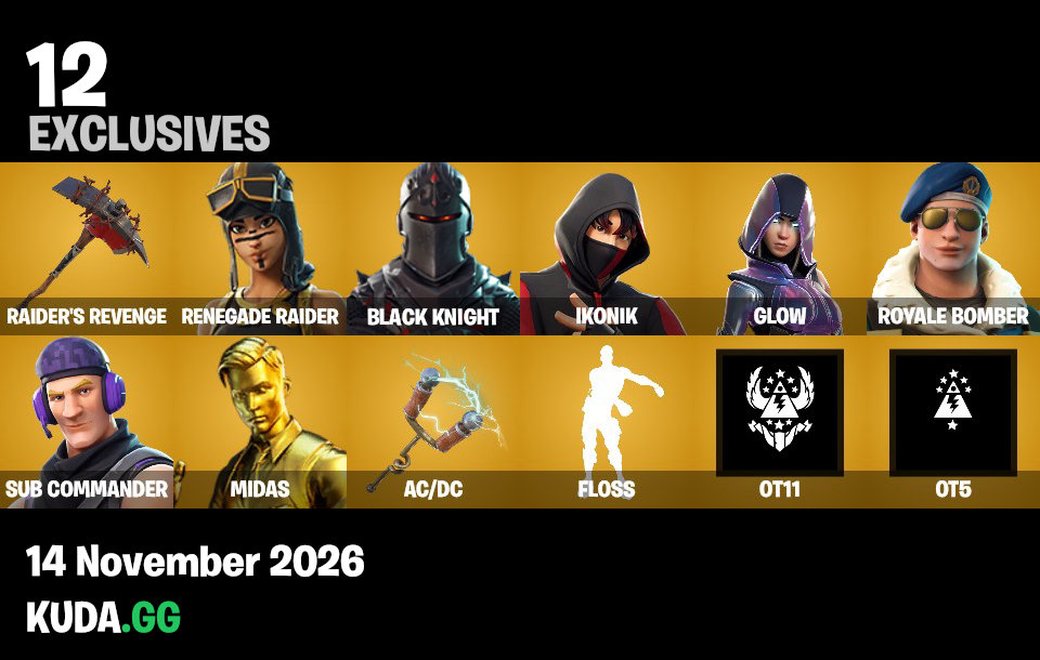
We render high-quality locker images and attach them to the listing: every outfit, one with just the exclusives (OGs, gold styles, collabs and more), plus back blings, pickaxes, emotes and gliders.
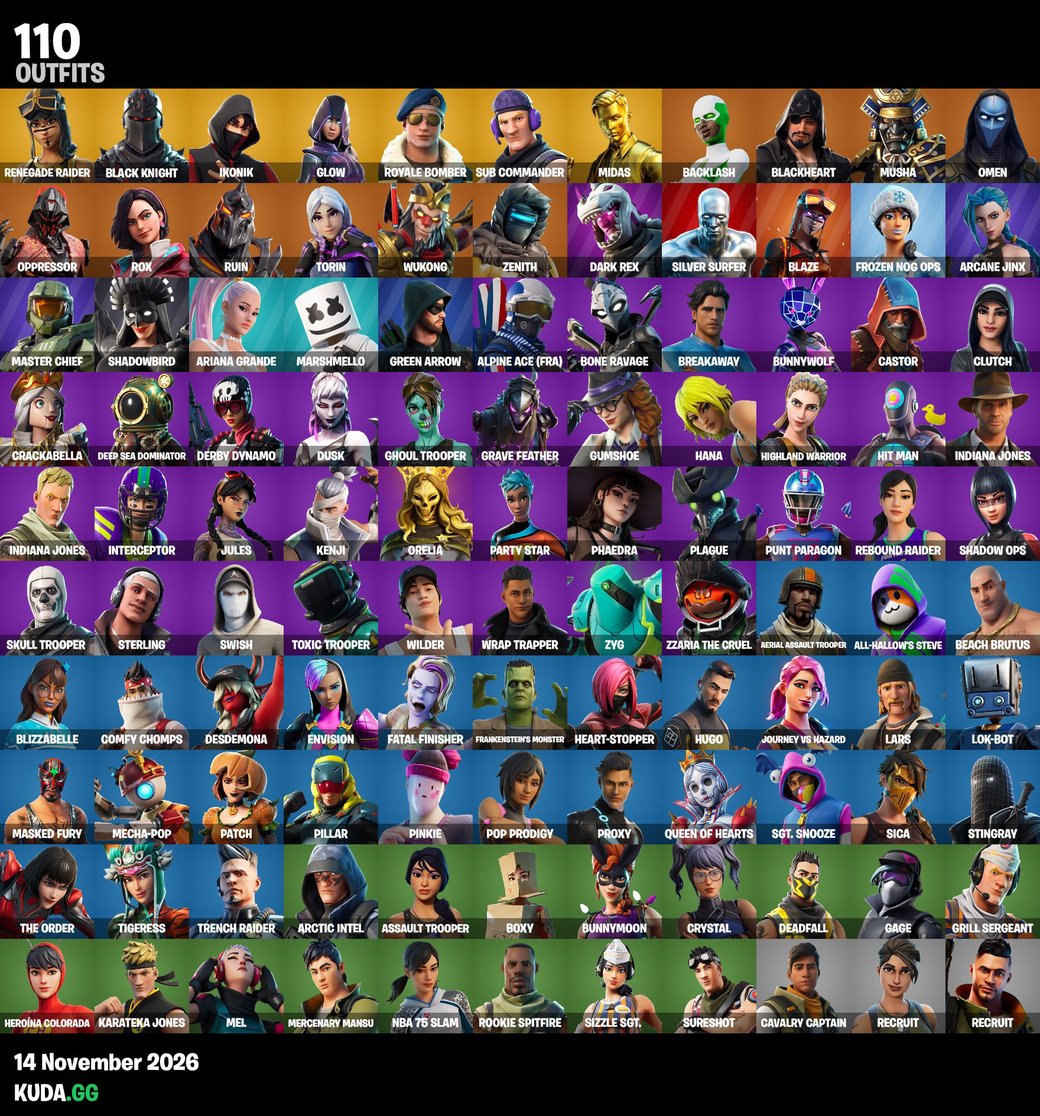
Locker image with all outfits
Locker image with the exclusives

4. Set prices and publish everything

Check each draft, set one price for all of them, and publish with a single click. The email provider (Gmail, Outlook…) is added to the description so buyers know. Quick login with Epic also works when you create a single listing.
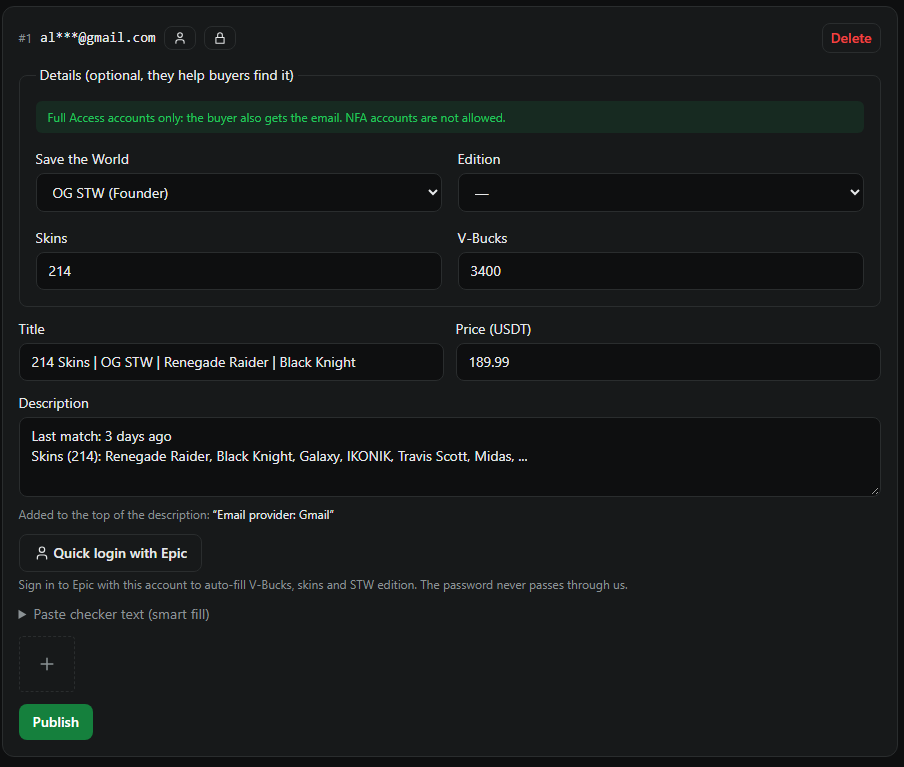
A filled-in listing draft
Open bulk upload →
Kuda

Written byKudaOwner

Published 16 November 2026

More guides

Auto-post your Fortnite accounts to Discord and TelegramRefer + Earn: turn your Telegram or Discord channel into incomeReceiving offers as a seller: accept, decline or counterList a Fortnite account in one click from a checkHow much is my Fortnite account worth?How to sell your Fortnite account safely (and for more)Can you get banned for selling a Fortnite account?Is an OG STW Founder account worth it? Founder codes vs. founder accountsHow Founders earn V-Bucks in Fortnite Save the WorldFull Access vs NFA Fortnite accounts: what's the difference?How to buy a Fortnite account safelySave Fortnite accounts and get a price-drop alertSearch alerts: get told when the account you want appearsConnect Telegram and get your Kuda.gg alerts instantlyHow to make an offer on a Fortnite accountHow Kuda.gg protects your money (escrow + verified listings)Is it safe to buy a Fortnite account? Can you get banned?NFA meaning in Fortnite: what a Non-Full Access account isHeadless account meaning in FortniteOG account meaning in FortniteFortnite skin checker: see any account's skins, V-Bucks and exclusives (free)Is Eldorado.gg safe and legit? Honest review (and a Fortnite alternative)Is PlayerAuctions safe and legit? Honest review (and a Fortnite alternative)Is G2G safe and legit? Honest review (and a Fortnite alternative)Is Gameflip safe and legit? Honest review (and a Fortnite alternative)How to change the email on a Fortnite account (and the 90-day lock)How to make a Fortnite account Full AccessHow to secure a Fortnite account after buying it (checklist)Stacked Fortnite account meaningCracked Fortnite account meaning (and why to avoid them)Linked vs unlinked Fortnite account: what it meansFA meaning in Fortnite (Full Access explained)