Auto-post your Fortnite accounts to Discord and Telegram
Updated: 16 November 2026
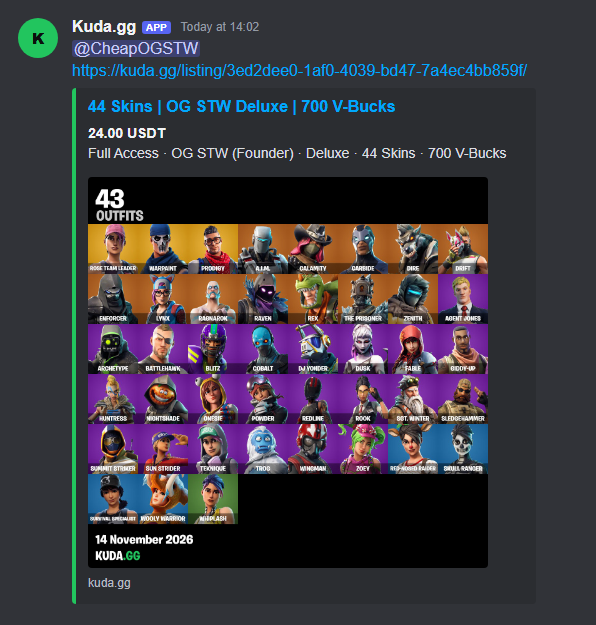
Got a Discord server or Telegram channel for your buyers? Connect it once, and every account you list is announced there automatically, with the link, price, picture and a ping for the role you choose.
1. Connect your channel
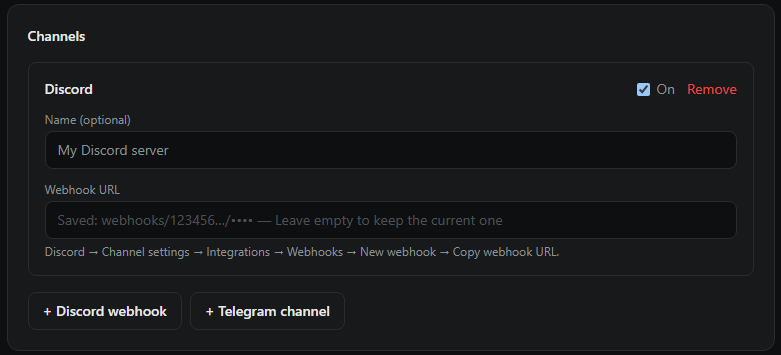
On your seller dashboard, click “Discord / Telegram”. For Discord, create a webhook (Channel settings → Integrations → Webhooks → New webhook) and paste its URL. For Telegram, create a bot with @BotFather, add it as an admin of your channel, and paste its token and the channel name. You can connect up to 5 channels.
2. Pick which role to ping for each account
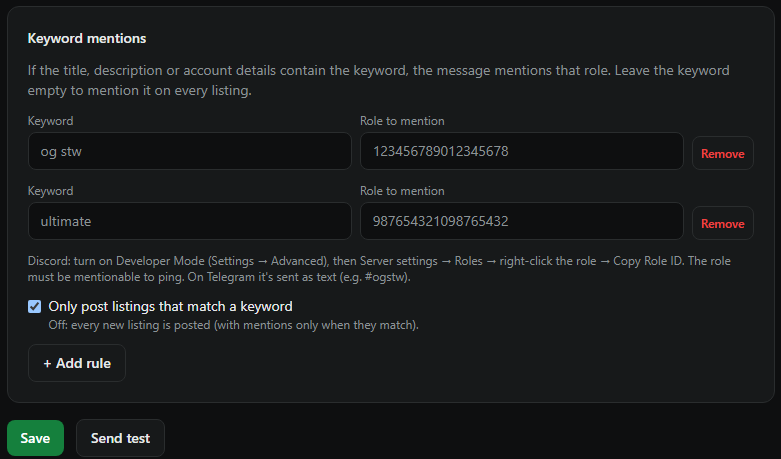
Create keyword rules: “og stw” pings @OGSTW, “ultimate” pings @UltimateOGSTW. Keywords are matched against the title, the description and the account details, so “og stw” also catches accounts tagged OG STW (Founder). An account that matches several rules gets one message with every ping.
Discord needs the role's ID, not its name: turn on Developer Mode (Settings → Advanced), then Server settings → Roles → right-click the role → Copy Role ID, and make the role mentionable. Tick “Only post listings that match a keyword” if you don't want the rest posted.
3. List like you always do
The first time an account goes on sale, the message appears in your channel: role ping, link, price, tags and the locker image. It works with bulk upload too, and pausing and reactivating a listing doesn't post it again. “Send test” shows the message without pinging anyone. Your webhooks and tokens are stored encrypted and never shown again.