How to change the email on a Fortnite account (and the 90-day lock)
Updated: 24 November 2026
You can only change the email on a Fortnite account if you have Full Access — that is, you also control the account's current email. With that, you change it in Epic's account settings. Afterwards Epic locks the email for about 90 days before it can be changed again.
Changing (transferring) the email
Sign in at epicgames.com → Account → General and change the email; Epic sends a verification code to the new address. If you bought the account, this is how you transfer it to your own email — and you need the current email to do it, which is exactly why Full Access matters.
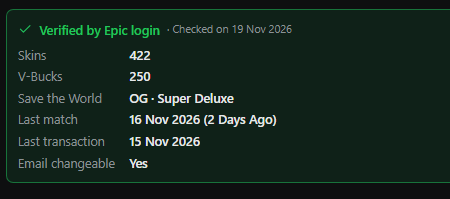
The 90-day email lock
After you change the email, Epic locks it for around 90 days before it can be changed again. So check the account first, and once it's on your email, also change the password and turn on two-step verification.
FAQ
- How do I change the email on a Fortnite account?
- Sign in at epicgames.com → Account → General and change the email; Epic sends a code to the new address. You need Full Access (the account's current email) to do it.
- Can I change a Fortnite email twice quickly?
- No. After changing the email, Epic locks it for around 90 days before you can change it again.