KUDA.GG
← Guides

Refer + Earn: turn your Telegram or Discord channel into income

Updated: 24 November 2026

If you have a Telegram or Discord channel, Refer + Earn is built for you. Share your Kuda.gg link, and for everyone who signs up with it and sells (or buys), you earn 50% of our fee — about 4% of every sale they make, for life, withdrawable. It costs your people nothing: it comes out of Kuda.gg's cut, not theirs.

1. Copy your link (or use /refer in the bot)

It's on the Refer + Earn page (the green button at the top of the site). Give it your own code — your channel, Discord or TikTok name — and share it with your community. Old codes keep working. In the Telegram bot you can also just send /refer to get your link.
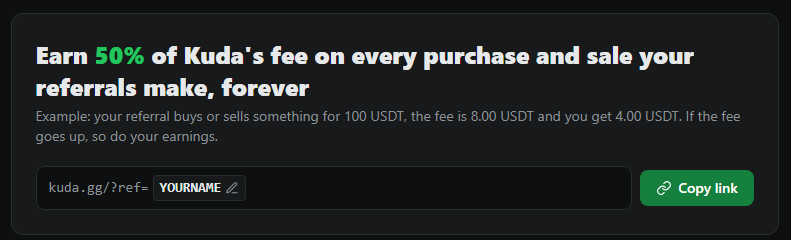
Referral link with a custom code

2. Earn on every sale your people make

When an order from someone you brought completes, half of the fee lands in your balance, ready to withdraw. A sale is charged an 8% fee, so you get about 4% of it. Example: a seller you brought sells a 100 USDT account → you get 4 USDT. If your people sell 10,000 USDT in a month → that's 400 USDT for you that month, hands-off. If both sides of an order were referred by different people, each referrer gets 25%. Orders where you are the buyer or the seller don't pay you a cut.
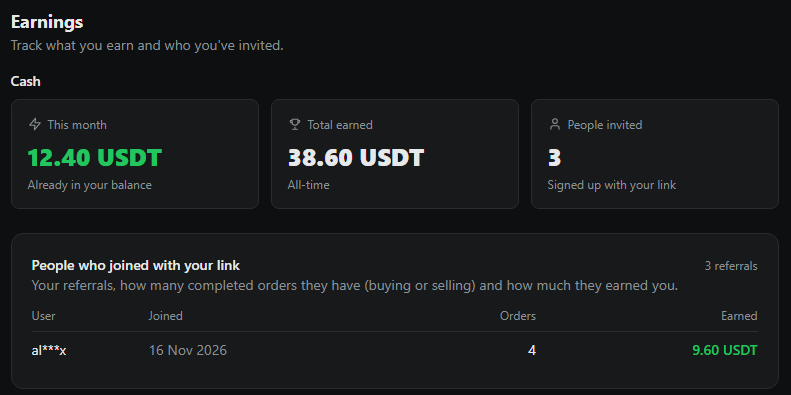
Referral earnings dashboard
Example

3. See which channel works

The funnel shows how many people open your link, how many sign up and how many go on to sell or buy, over 30 days, 90 days, a year or all time. Use a different code per channel to learn which community brings the most sellers.
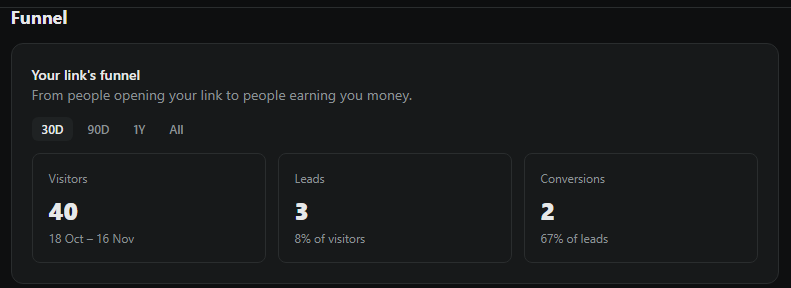
Funnel: visitors, sign-ups and conversions
Example

FAQ

How much do I earn from referrals on Kuda.gg?
50% of our platform fee on every purchase and sale your referrals make — about 4% of each sale — for life, and it is withdrawable.
Does referring cost the people I bring anything?
No. The referral payout comes out of Kuda.gg's fee, not the referred user's money.
Get my link →
Kuda

Written byKudaOwner

Published 24 November 2026

More guides

How to bulk upload Fortnite accounts on Kuda.ggAuto-post your Fortnite accounts to Discord and TelegramReceiving offers as a seller: accept, decline or counterList a Fortnite account in one click from a checkHow much is my Fortnite account worth?How to sell your Fortnite account safely (and for more)Can you get banned for selling a Fortnite account?Is an OG STW Founder account worth it? Founder codes vs. founder accountsHow Founders earn V-Bucks in Fortnite Save the WorldFull Access vs NFA Fortnite accounts: what's the difference?How to buy a Fortnite account safelySave Fortnite accounts and get a price-drop alertSearch alerts: get told when the account you want appearsConnect Telegram and get your Kuda.gg alerts instantlyHow to make an offer on a Fortnite accountHow Kuda.gg protects your money (escrow + verified listings)Is it safe to buy a Fortnite account? Can you get banned?NFA meaning in Fortnite: what a Non-Full Access account isHeadless account meaning in FortniteOG account meaning in FortniteFortnite skin checker: see any account's skins, V-Bucks and exclusives (free)Is Eldorado.gg safe and legit? Honest review (and a Fortnite alternative)Is PlayerAuctions safe and legit? Honest review (and a Fortnite alternative)Is G2G safe and legit? Honest review (and a Fortnite alternative)Is Gameflip safe and legit? Honest review (and a Fortnite alternative)How to change the email on a Fortnite account (and the 90-day lock)How to make a Fortnite account Full AccessHow to secure a Fortnite account after buying it (checklist)Stacked Fortnite account meaningCracked Fortnite account meaning (and why to avoid them)Linked vs unlinked Fortnite account: what it meansFA meaning in Fortnite (Full Access explained)